Drift 3
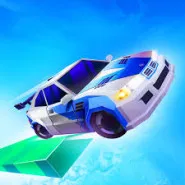
Drift 3 is a racing game specializing in drifting techniques - the player controls a sports car to rush into the track, perform smooth drifts to overtake opponents or score high scores. The game is in HTML5 format, played directly on the browser, suitable for quick entertainment or practicing drifting skills.
Gameplay & Control Mechanism Drift 3
- The player chooses a car and enters the track or drift map.
- The goal: perform a good drift, stick to the corner, keep the rear wheel sliding or the front wheel tilting at the right time to score points or complete the level.
- The track can have many sharp turns, open sections, obstacles or sections that require long drifts to take advantage of the score.
Control mechanism:
- Use the left/right arrow keys or the A/D keys to control the steering direction.
- The W key to accelerate, brake or hold the handbrake to start drifting.
- When entering a corner or drifting section, release the throttle or use the handbrake to let the rear wheel slide and then adjust the direction to maintain control.
- Feel and reflexes are important – drifting is not just about turning, but also about wheel control and cornering.
Car Types & Upgrade Options Drift 3
- At the start, you will be using the basic car – a sporty design, average drifting ability.
- As you play, or by reaching “drift points” or completing levels, you can unlock more cars with different designs and better drifting ability.
- Upgrades can include increased drifting ability, acceleration, improved braking or better traction – helping you drift more consistently, with less loss of control.
- Choosing a car that suits your play style will give you a clear advantage.
Tracks & Environments Drift 3
- The tracks in Drift 3 have many sharp turns, wide stretches of road to drift, and obstacles or edges for “off-road” drifting that earn extra points if done well.
- The environment can be day or night, city or mountain – designed to be more optimized for drifting than straight racing.
- Tracks may have edges, puddles, ice slides or railings near the edge for you to try extreme drifts.
- As the difficulty increases, later maps will have tighter turns, more obstacles and longer drift distances to test the player’s skills.
Drift 3 game modes
- The main mode is individual: you take on a track or drift level and try to get a good
- There may be a leaderboard or high score to compare with other players or your previous time.
- Each round is usually short – good for quick play and multiple attempts to improve your drifting skills.
- While it is unclear if there will be a multiplayer mode, the game focuses on players improving their drifting skills and cars.
How to start playing Drift 3
- Launch the game on the kart-bros.io platform and select “Play” or “Start”.
- Choose the car you want to use.
- Start racing: accelerate, corner, handbrake to start drifting.
- When you successfully drift, keep the wheels sliding, adjust the direction to avoid collisions or leaving the road.
- After the game, view your drift score or achievements and unlock new cars or upgrades if available.
Drift 3 Graphics & Sound
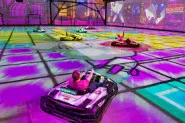
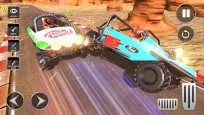
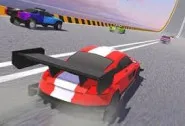
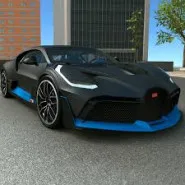
- 3D or pseudo-3D style in a racing environment, with clearly simulated sports cars, glossy lights and reflective roads.
- Drift effects: smoke wheels, skidding wheels, tire marks, neon lights – to increase the feeling of strong drifting.
- The roar of the car engine when accelerating, the sound of the wheels sliding on the road when drifting, the sound of the handbrake or the screeching of the skidding wheels – combined
- with fast background music, creating a feeling of adrenaline.
- Clear interface: shows drift points, time, speed bar or current drift level, helping players focus on technique.
Tips & Strategies for Effective Drift 3
- When entering a sharp corner, slow down or use the handbrake to start drifting – avoid entering the corner at high speed as it is easy to lose control.
- Keep the rear wheel sliding as long as possible, but always adjust the steering direction to avoid collisions or sliding off the track.
- Look at the road ahead and prepare for drifting early – this will help you enter the corner more smoothly and maintain a more stable speed.
- Use the wide road to perform long and beautiful drifts, and also collect more “drift points” before accelerating to break away.
Strategies for Effective Drift 3
- Choose a car that suits your playing style: if you like continuous drifting, choose a car that can slide easily; if you like speed, choose a faster car and practice drifting at high speed.
- Practice a lot to memorize the locations of corners, obstacles and long drifting tracks – your handling and reflexes will improve significantly over time.
- Combine speed and control: no need to drift on every corner, choose the right time to both get a high score and ensure a quick finish.
Conclusion
Drift 3 is an interesting racing game for those who love drifting techniques and want to challenge themselves in controlling the car at high speeds. With simple but skill-demanding controls, vivid graphics and sounds, the game is suitable for quick entertainment or long-term skill training. If you like the feeling of “drifting” more than just racing, then Drift 3 is a choice worth experiencing.
Discuss Drift 3